
Your laptop is wedged between a monitor stand and a notebook, the next video call is starting, and you’re turning up the volume just to follow someone’s voice. Music sounds thin afterwards, but adding bulky speakers would mean giving up the writing space you use. Small speakers, serious desk audio should mean a useful upgrade, not another desktop obstacle.
The best small desktop speakers earn their place through physical footprint, clarity at your seated listening distance, intelligible voices, and connections that don’t interrupt work. Bass matters, but it shouldn’t come at the expense of usable space or considerate listening in a shared room. Statistics Canada reported that 31.1% of occupied dwellings had only one to four rooms in the 2021 Census housing profile, making compactness a practical constraint for many Canadian homes.
Desk-first rule: Judge speakers from your normal working position, with your monitor, keyboard, and cables already in place. A convenient everyday pair, an expandable hi-fi system, and a creator-oriented monitor solve different problems.
These recommendations focus on those trade-offs, rather than claiming a universal winner or presenting unperformed listening tests.
Table of Contents
- 1. Creative Pebble Pro
- 2. Kanto YU2
- 3. Audioengine A2+ Gen 3 Wireless
- 4. IK Multimedia iLoud Micro Monitor
- 5. Vanatoo Transparent Zero / Transparent Zero Plus
- 6. Genelec 8010A
- 7. Edifier MR4
- Top 7 Small Desktop Speakers Comparison
- Match the Speakers to Your Desk
1. Creative Pebble Pro
Choose the Creative Pebble Pro when keeping your desktop usable matters more than building an expandable audio system. Its compact, angled cabinets suit a workstation where conventional bookshelf speakers would crowd the monitor or push your notebook off the desk.
The Creative Pebble Pro combines USB-C audio, AUX, and Bluetooth, along with accessible headphone and microphone ports. Those connections make it a sensible everyday choice for switching between computer audio, casual phone listening, and call accessories. Its speech-clarity features are relevant to meetings, though they shouldn’t be treated as a substitute for a suitable microphone or headset.
A practical fit for calls and background music
Start with USB audio for your work computer and keep Bluetooth as the convenient phone connection. Position the speakers beside the display, with their angled drivers facing your seated position rather than disappearing behind the monitor stand. Leave room to reach the controls and front connections without moving either cabinet.
- Footprint advantage: The small cabinets are the main attraction when your desk barely accommodates a laptop and keyboard.
- Connection advantage: USB can simplify the computer connection, but you’ll still need to account for the cable between speakers and any additional power arrangement.
- Expansion limit: There’s no subwoofer output, so choose a different system if adding dedicated bass is part of your plan.
Bass expectations should stay modest. The optional USB-C power-delivery input can increase available output, but more output isn’t the same as deeper bass or better low-volume speech.
For a shared apartment, the better buying test is whether you can follow a quiet conversation without continually raising the volume. Pick the Pebble Pro for convenience and minimal intrusion, not as a miniature replacement for a full hi-fi setup.
2. Kanto YU2
A tidy desk today doesn’t have to mean replacing the whole speaker system when you want fuller music later. The Kanto YU2 is the straightforward wired option for buyers who want a compact pair with a bass-expansion path.
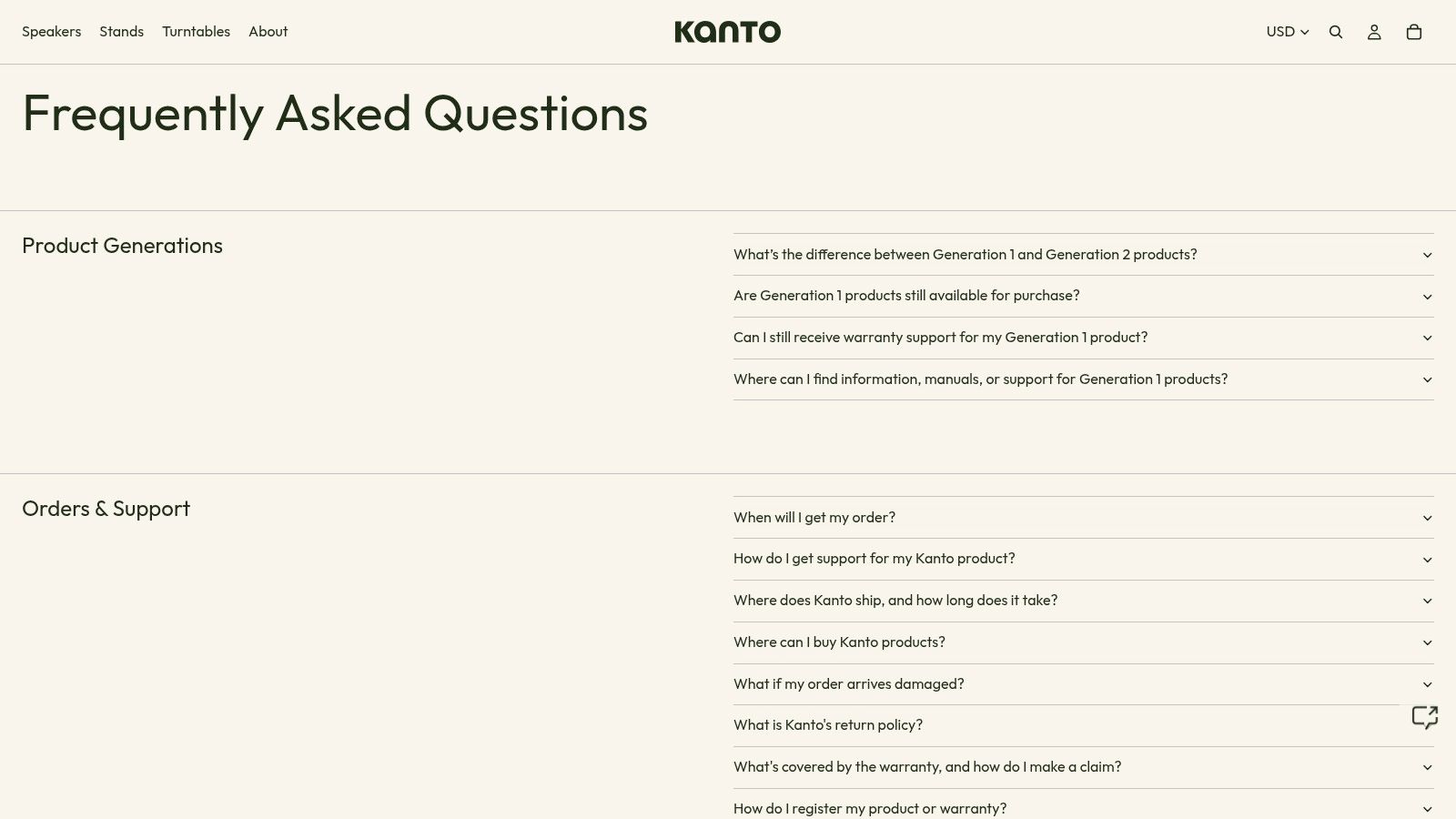
The Kanto YU2 comes from a BC-based Canadian brand and provides a USB DAC input, an analogue input, and a subwoofer output. That’s a focused connection set for a computer desk, rather than a system built around frequent wireless switching. Don’t confuse a Canadian brand with a claim that the speakers are manufactured in Canada.
Keep the first setup simple
Connect your computer through USB, place the cabinets on either side of the screen, and route the speaker-link cable behind the monitor. Before settling on their position, check the space behind each cabinet as well as the surface area underneath it. A speaker that fits visually can still leave too little room for connectors and wall clearance.
The YU2 makes particular sense for a writer or remote worker who listens to music between calls and doesn’t want to manage Bluetooth pairing. The absence of Bluetooth is either a limitation or a welcome simplification, depending on how often you play audio from your phone.
Buy the pair for the desk you have now. Add a subwoofer only after you’ve decided that missing bass, rather than poor placement, is the problem.
Its built-in bass remains a compact-speaker compromise. The subwoofer connection gives you an upgrade route, but the extra cabinet, power lead, and floor-space requirement can undermine an otherwise clean workstation. Choose the YU2 if reliable wired use and future flexibility matter more than wireless convenience.
3. Audioengine A2+ Gen 3 Wireless
The Audioengine A2+ Gen 3 Wireless suits a music-first desk that still needs uncomplicated computer audio. It’s the option to consider when you want small cabinets without committing to a wired-only system.
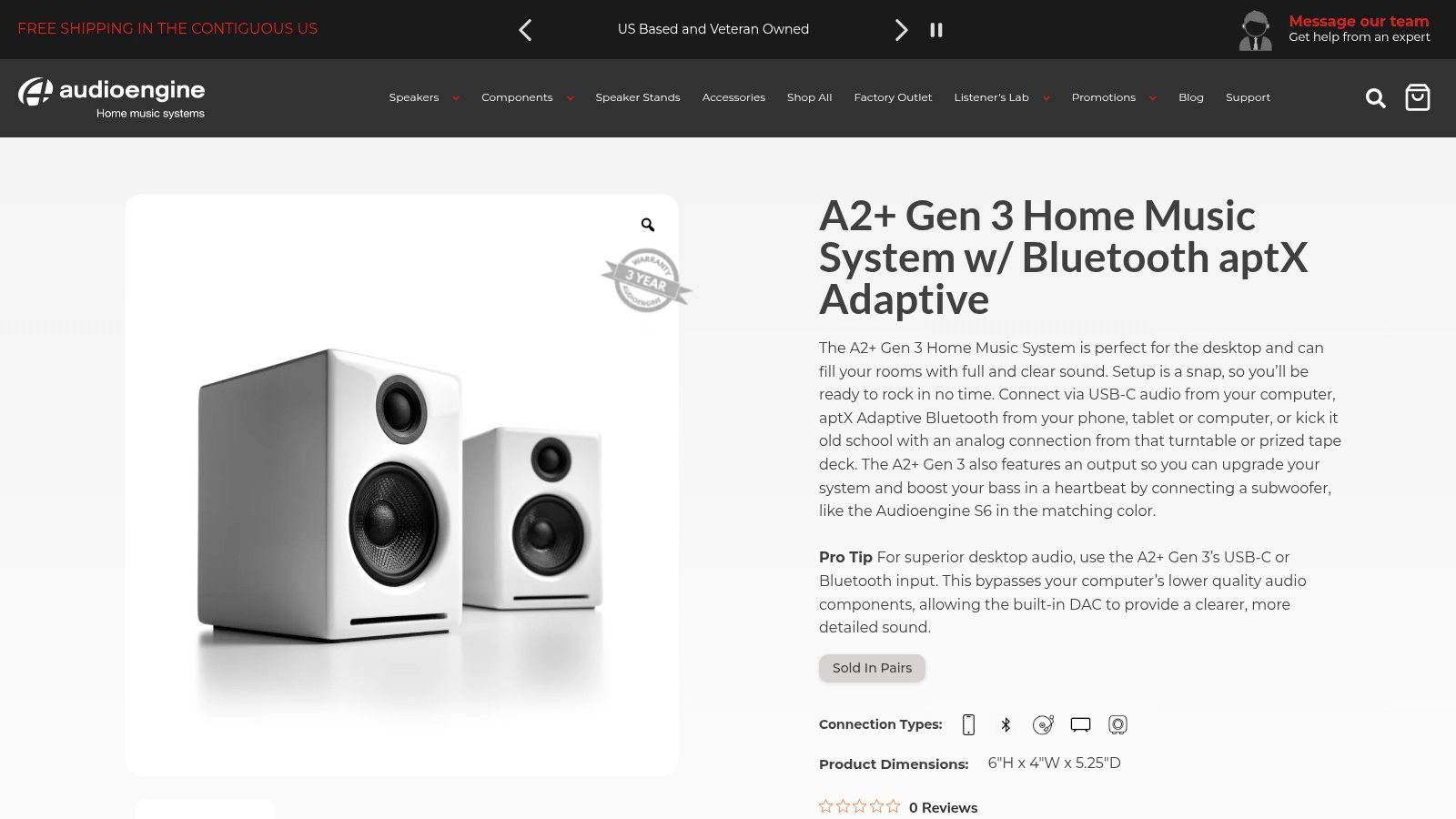
The Audioengine A2+ Gen 3 Wireless offers Bluetooth with aptX Adaptive, USB and analogue inputs, and a subwoofer output. That combination accommodates a work computer now, phone playback between tasks, and a more substantial listening setup later. The premium positioning makes most sense when music is a regular part of your day, not merely occasional background sound.
For focused listening, give the cabinets clear paths to your ears. Avoid tucking a speaker behind a laptop screen just because its footprint allows it, and consider suitable angled supports if the drivers sit well below your listening position.
Wireless convenience needs a wired fallback
- For video calls: Use the computer’s wired audio connection and verify that your meeting app has selected the intended output.
- For phone playback: Bluetooth keeps casual listening convenient without another cable across the desk.
- For later expansion: The subwoofer output leaves room to address bass limitations without replacing the pair.
A crowded workstation is also a crowded wireless environment. Innovation, Science and Economic Development Canada’s interference guidance explains the coexistence challenges facing Wi-Fi, Bluetooth, and other licence-exempt devices, so pairing successfully once isn’t enough to establish everyday reliability.
Test reconnection after computer sleep, then listen while your usual wireless peripherals are active. Buy the A2+ for its combination of music-oriented design and connection flexibility, while accepting that small cabinets still have bass limits. A wireless codec isn’t a reason to skip the wired connection during important calls.
4. IK Multimedia iLoud Micro Monitor
Editing spoken audio exposes a different set of priorities from playing a playlist while answering email. The iLoud Micro Monitor is the creator-oriented choice when you want compact near-field monitors with placement controls rather than a conventional computer-speaker experience.
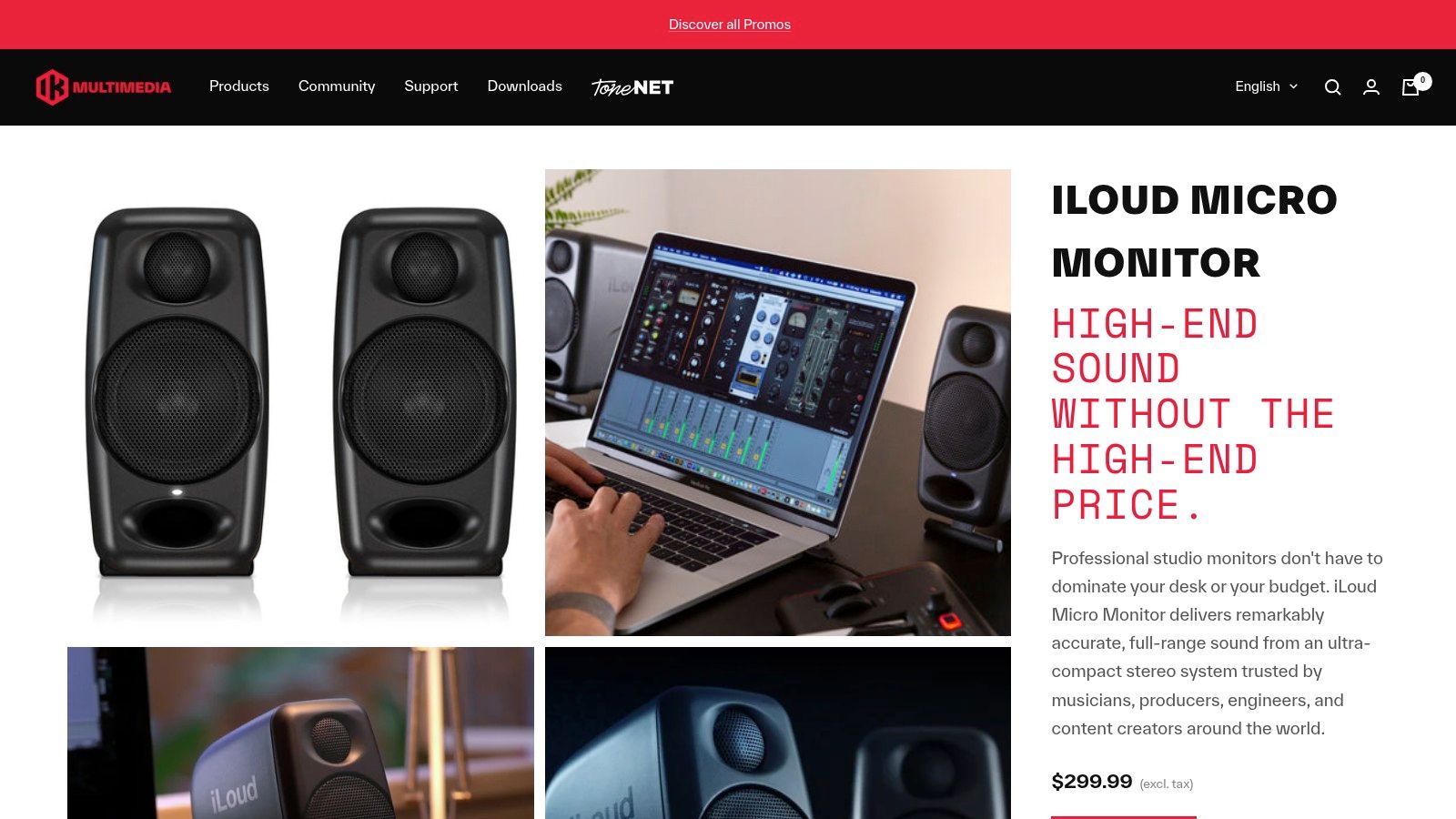
The IK Multimedia iLoud Micro Monitor uses bi-amplification, onboard DSP, and desk-placement EQ controls in compact cabinets. Its reference-leaning approach makes it worth considering for dialogue editing, music production, and listeners who prioritise detail over an exaggerated bass presentation. Confirm the connections and Bluetooth availability of the exact package sold by your retailer.
Use the placement controls deliberately
Begin with a symmetrical arrangement and unobstructed drivers before changing the EQ settings. Then compare the relevant desk-placement settings using familiar speech and music, listening for voices that sound unusually thick or instruments that become harder to distinguish. Controls are useful for adapting a setup, but they shouldn’t become an excuse to squeeze a cabinet into an unsuitable corner.
For a freelancer editing a voiceover, the useful scenario is quiet playback at the normal working position. Can you follow phrasing and hear distracting background sounds without leaning forward or increasing the level? That’s a more relevant question than whether the speakers can fill the apartment.
Creator’s priority: Choose monitoring tools for the decisions you need to make. Pleasant background playback and dependable editing references aren’t automatically the same requirement.
The trade-off is cost and a more purposeful setup. If you only need meeting audio and occasional music, the Pebble Pro is easier to justify; if you want adjustable compact monitoring, the iLoud deserves closer consideration. Don’t expect deep-bass monitoring from tiny cabinets, and check bass-sensitive work through an appropriate additional listening system.
5. Vanatoo Transparent Zero / Transparent Zero Plus
Some compact desks serve as a work station, a music system, and a place to connect other audio devices. The Vanatoo Transparent Zero family is the flexibility-first option for that kind of mixed use.
The Vanatoo Transparent Zero / Transparent Zero Plus family offers USB, optical, analogue, and Bluetooth connectivity, alongside DSP, tone controls, remote operation, and subwoofer connectivity. Its reversible lean-back cabinet arrangement and included isolation pads are particularly relevant to desktop placement. Check the exact version before ordering rather than assuming every feature and accessory is identical across generations.
That versatility is useful if you want computer audio during work and another source afterwards without rebuilding the setup. It’s less compelling if you’ll use only a single computer connection and never touch the extra controls.
More flexibility, more setup decisions
- Arrange for listening: Use the lean-back configuration that directs the speakers towards your seated position, rather than choosing solely by appearance.
- Plan the inputs: Decide which source belongs on each connection and check how automatic switching behaves during normal use.
- Budget for delivery: Canadian buyers should confirm shipping, potential import charges, and return arrangements before comparing total cost.
The isolation pads deserve attention on a lightweight desk, especially if bass makes the surface feel lively. Treat them as a placement aid, then listen for changes rather than assuming an accessory will solve every vibration problem.
For shared spaces, controlled low-volume playback matters more than extracting maximum bass. Housing, Infrastructure and Communities Canada’s accessibility plan reports that 39% of employees with disabilities were dissatisfied with office noise levels, a useful reminder that another person’s audio can be a genuine barrier.
Choose Vanatoo when its inputs and desktop ergonomics solve actual problems. Skip the extra complexity if your needs begin and end with uncomplicated laptop playback.
6. Genelec 8010A
Choose the Genelec 8010A when reference-style listening is the reason you’re buying speakers, not an incidental benefit. It’s a professional near-field monitor, which changes both the purchasing decision and the connection planning.
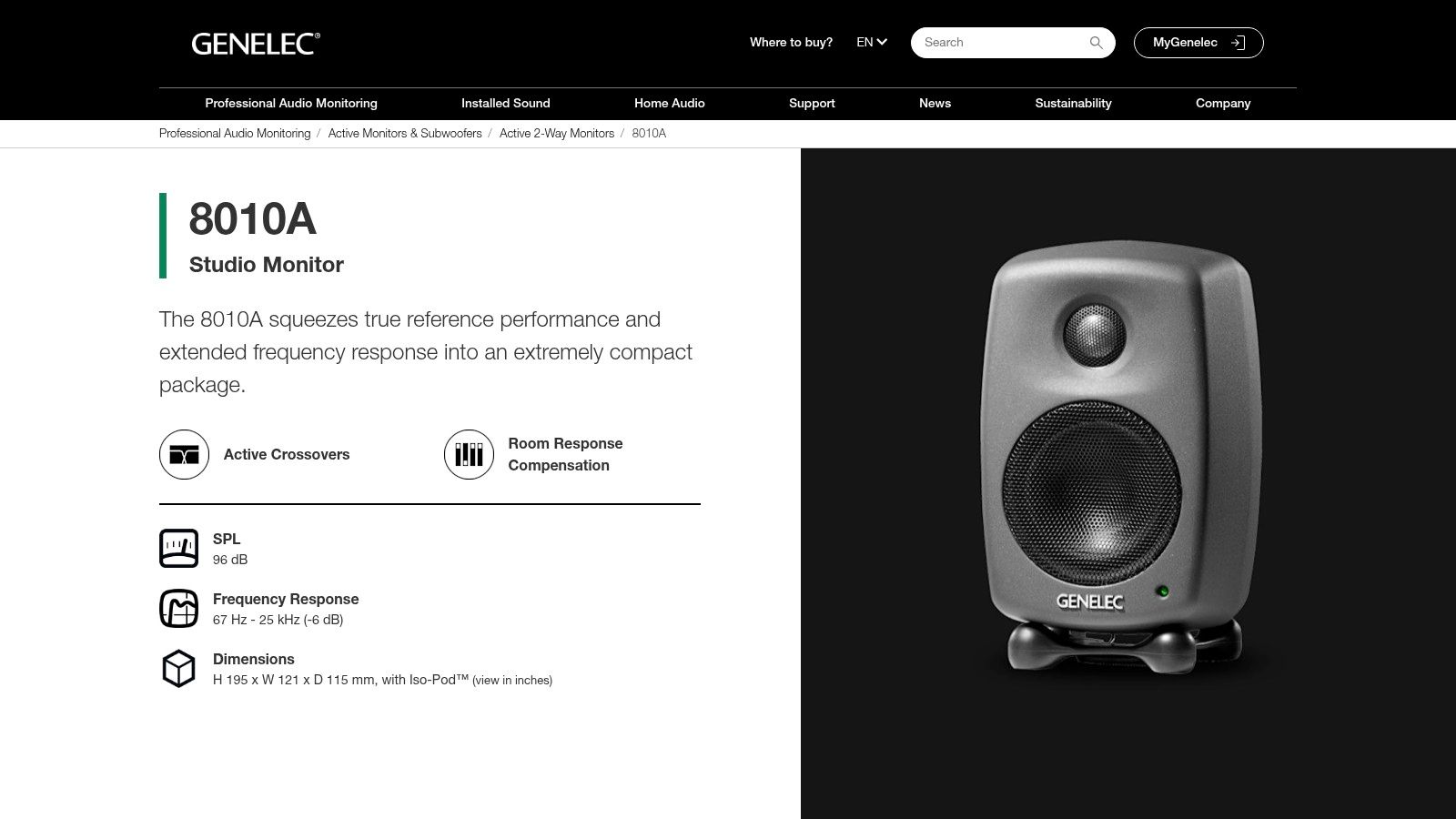
The Genelec 8010A combines a compact metal enclosure, Class D bi-amplification, and response-adjustment switches. It’s sold individually, so don’t mistake a single-monitor listing for a complete stereo package. Confirm the required audio connection and volume-control arrangement before buying, particularly if you’re moving from plug-and-play USB speakers.
Plan the whole monitoring chain
A compact monitor can still require more surrounding equipment than an everyday desktop pair. Map the path from your computer to the monitors, including any interface, controller, cables, and accessible volume control. Reserve space for that equipment before deciding the cabinets alone will fit your desk.
The strongest use case is a creator who already has an audio interface and wants a small, reference-oriented listening system. Position the monitors symmetrically, keep their drivers unobstructed, and use the placement switches to address the actual arrangement rather than selecting settings by guesswork.
A professional monitor is worthwhile when it helps you make better listening decisions. It’s an expensive way to solve a problem that’s only about hearing meeting participants.
Bass remains the important limitation. If your work depends on judging the lowest musical content, plan an appropriate additional reference or bass-expansion system rather than assuming professional construction removes the constraints of a small enclosure.
The 8010A is a specialist recommendation, not the default premium winner. For general work and music, Audioengine or Vanatoo may offer more convenient source handling. For a compact production desk where neutrality, construction, and monitoring integration take priority, Genelec is the more relevant comparison.
7. Edifier MR4
If you’re building a budget-conscious desk around wired listening, the Edifier MR4 is the monitor-style pair to consider before moving into professional-monitor spending. It’s particularly relevant when an audio interface is already part of your setup.
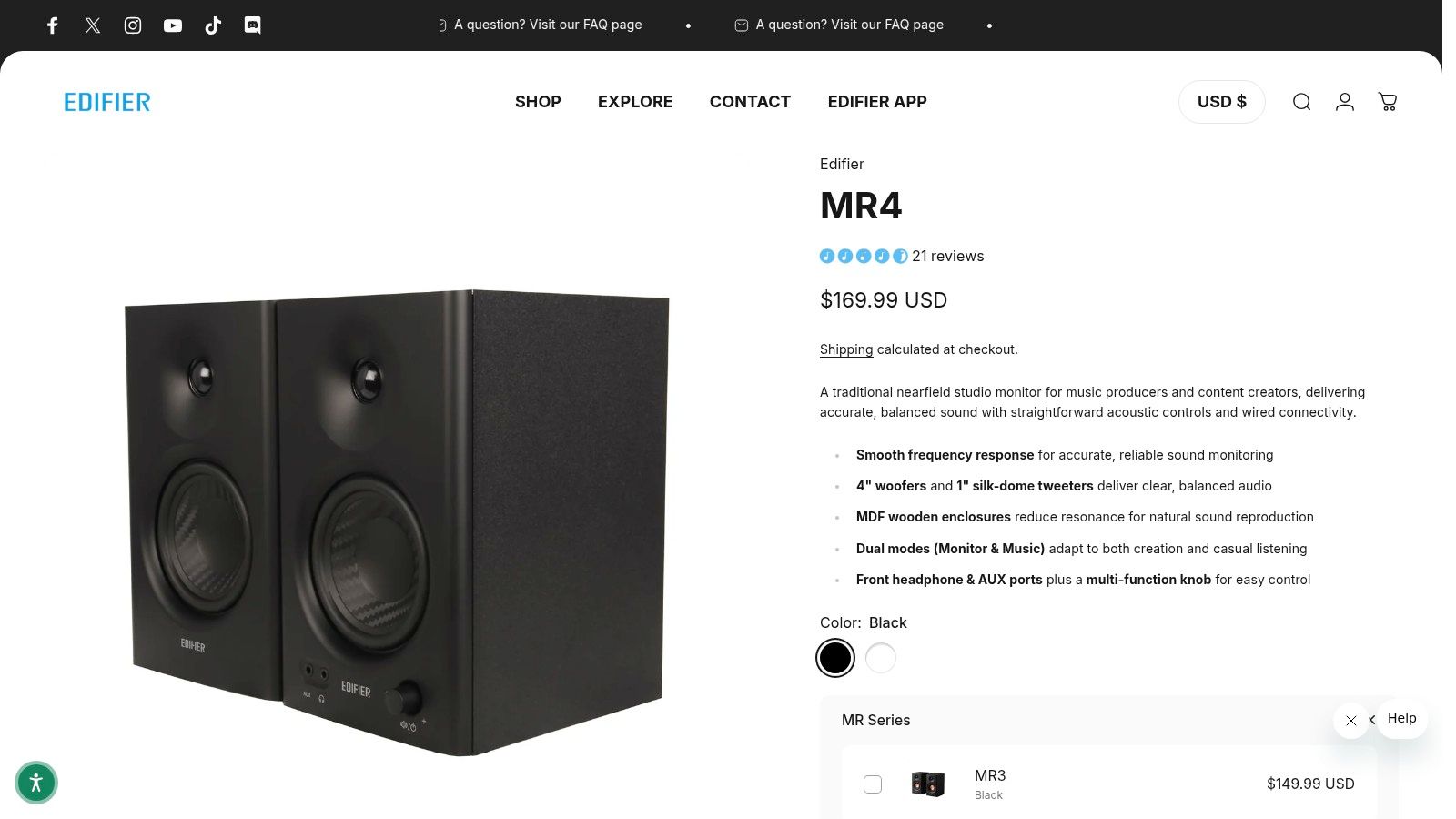
The Edifier MR4 provides balanced TRS, RCA, and AUX inputs, a front headphone output, and separate Monitor and Music modes. Those options support both ordinary computer playback and interface-based use without requiring wireless pairing. Check Canadian availability, warranty support, and the cables you’ll need before treating an advertised price as the complete setup cost.
Measure the usable space, not just the gap
The MR4 needs more deliberate desk planning than a palm-size speaker set. Allow space for cabinet depth, rear connections, and sensible placement rather than measuring only the opening beside your monitor. Don’t accept a layout that puts a driver behind the display or forces your keyboard into an uncomfortable position.
- Computer-only setup: Choose the compatible analogue connection and keep its cable away from the writing area.
- Interface-based setup: Use compatible balanced connections when available, while remembering that they aren’t a universal cure for every noise problem.
- Shared-room listening: The front headphone output provides a convenient alternative when other people need quiet.
Compare Monitor and Music modes with familiar dialogue and music at similar perceived volume. Choose the setting that supports your task rather than assuming the more technical label guarantees a better result in every situation.
The absence of Bluetooth is the clear convenience trade-off. Bass is also modest compared with larger monitors, so buyers chasing room-filling low end should reconsider the category.
Pick the MR4 when wired flexibility and value matter more than the smallest possible cabinet. It’s a practical candidate for students, freelancers, and entry-level creators, provided the pair fits the working desk.
Top 7 Small Desktop Speakers Comparison
| Speaker | 🔄 Setup Complexity | Desk & System Requirements | 📊 Expected Sound | ⭐ Key Advantages | 💡 Ideal Use Case |
|---|---|---|---|---|---|
| Creative Pebble Pro | Low; USB-C, AUX, or Bluetooth | Very small footprint; optional USB-C PD for higher output | Clear desktop audio; limited bass | USB-C audio, Bluetooth, and front headset ports | Compact desks, calls, and simple laptop-audio upgrades |
| Kanto YU2 | Low; USB DAC or analog input | Compact; subwoofer output for future bass expansion | Clean desktop sound; fuller bass may require a subwoofer | USB DAC, tidy design, Canadian brand support | Simple computer setups with optional subwoofer upgrade |
| Audioengine A2+ Gen 3 Wireless | Low; USB, analog, or Bluetooth | Very compact; subwoofer output available | Refined sound for its size; limited bass without a subwoofer | Multiple connection options and compact cabinets | Music-focused listening on a narrow desk |
| IK Multimedia iLoud Micro Monitor | Moderate; placement controls and DSP offer extra adjustment | Ultra-compact; Bluetooth availability varies by bundle or region | Detailed, reference-leaning sound; bass is not deep | Bi-amped design, onboard DSP, and desk EQ | Creators or listeners seeking detailed near-field sound |
| Vanatoo Transparent Zero / Zero Plus | Moderate; multiple inputs and controls | Compact; subwoofer output and included isolation pads | Full, balanced sound for the footprint | Broad connectivity, DSP, and desktop-friendly cabinet design | Flexible hi-fi listening in a small space |
| Genelec 8010A | Moderate; sold individually, so buy two for stereo | Very small; optional subwoofer for fuller-range sound | Neutral, reference-style sound | Robust build and placement adjustments | Professional monitoring where space is limited |
| Edifier MR4 | Low; multiple wired inputs and two sound modes | Compact pair; no Bluetooth | Clean, adjustable presentation; modest bass | Strong value, balanced inputs, and front headphone output | Budget-conscious desktop or audio-interface setups |
Match the Speakers to Your Desk
The best small desktop speakers are the ones that solve your daily audio problem without creating a new space or connection problem. Start with your most common task, then eliminate models whose footprint or setup requirements don’t suit the desk. Don’t pay for expansion features unless you can explain how you’ll use them.
For remote work, give voice reproduction priority over dramatic bass. In a CDW Canada–Angus Reid Forum survey, 82% of respondents rated online collaboration platforms as important or very important for working from home. That survey concerns collaboration technology, not speaker performance, but it supports treating desk audio as part of a communication setup rather than only a music accessory.
Choose by the problem you need to solve
- Minimal footprint and call convenience: Choose Creative Pebble Pro for a straightforward everyday upgrade.
- Budget-conscious wired listening: Consider Edifier MR4, provided its cabinets leave enough working space.
- Clean Canadian-brand setup with expansion: Choose Kanto YU2 for USB simplicity and the option to add a subwoofer later.
- Music and convenient source switching: Consider Audioengine A2+ Gen 3 Wireless.
- Multiple inputs and desktop adaptability: Look at Vanatoo Transparent Zero / Transparent Zero Plus.
- Compact creator monitoring: Compare IK Multimedia iLoud Micro Monitor and Genelec 8010A according to your connection setup and monitoring needs.
Separate the speakers by roughly the width of your monitor and angle them towards your listening position. Keep them away from walls and corners where practical, allowing additional clearance when the design needs it. Route cables behind the desk, leaving enough slack to adjust placement without pulling on connectors.
Finally, play familiar spoken audio at a comfortable level before turning up music. Adjust placement first if voices sound muffled or bass overwhelms speech, and check whether the desk itself vibrates. Speakers don’t provide speech privacy: for confidential calls or a room where someone else needs quiet, headphones may be the better tool.
Deskbound offers practical reviews and setup guidance for compact home offices, including small-speaker buying advice and cable-management walkthroughs. Visit Deskbound to plan an audio upgrade that fits your desk, then arrange the cables and surrounding gear so the extra clarity doesn’t cost you usable workspace.